

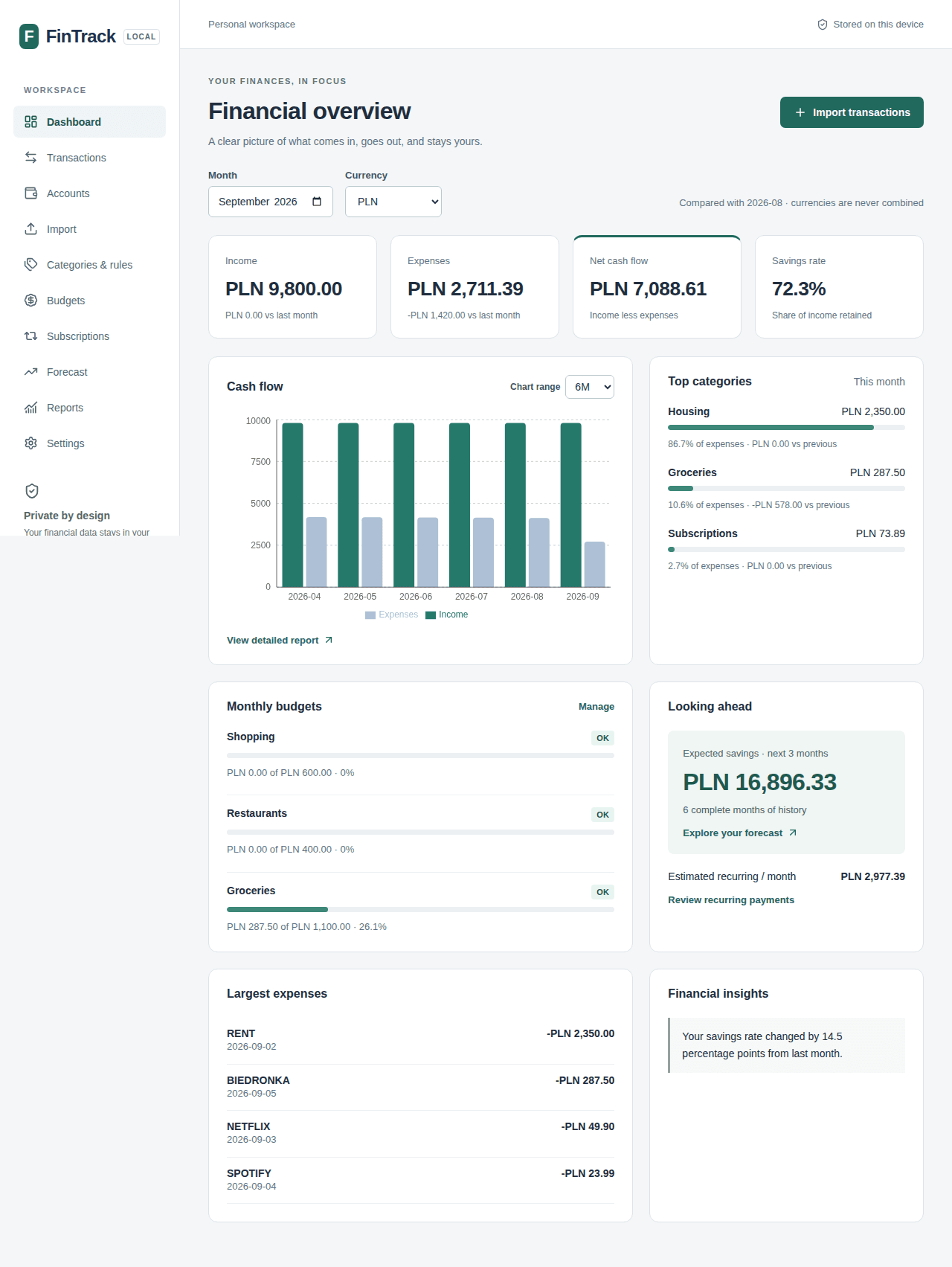
Your finances, stored on your device
FinTrack is a personal finance dashboard that runs entirely in the browser. There is no account to create and no backend receiving your transaction history. Financial records are stored locally in IndexedDB, with calculations and categorization performed on your device.
What you can do
- Import bank CSVs with column mapping, validation, preview, and duplicate review before saving.
- Organize transactions across multiple accounts using categories, merchant aliases, and prioritized categorization rules.
- Understand cash flow through monthly income, expenses, savings rates, category comparisons, and reports.
- Manage category budgets with clear indicators when spending approaches or exceeds a limit.
- Review recurring payments detected from transaction history, with confidence scores and manual confirmation.
- Forecast savings over 1, 3, 6, or 12 months using historical cash flow and adjustable scenarios.
- Export and restore backups with versioned JSON files and validated, atomic imports.
Built for reliability
FinTrack separates its interface, financial calculations, and storage behind repository contracts. Monetary amounts use integer minor units; different currencies are never added together. Vitest covers domain logic and integration scenarios, while Playwright checks complete desktop and mobile workflows.
The application is hosted as a static site on GitHub Pages. It does not require a dedicated server, external database, or paid service to work.
Try the application
Open FinTrack ↗ and select Settings → Load demo data in an empty workspace to explore fictional finances. To use your own records, create an account and import a CSV through the column-mapping flow.
Data belongs to the browser profile in which it was imported. Export a backup before clearing browser storage or moving to another device. Initial loading requires an internet connection; automatic bank connections and device synchronization are not included. Forecasts are estimates based on historical data.